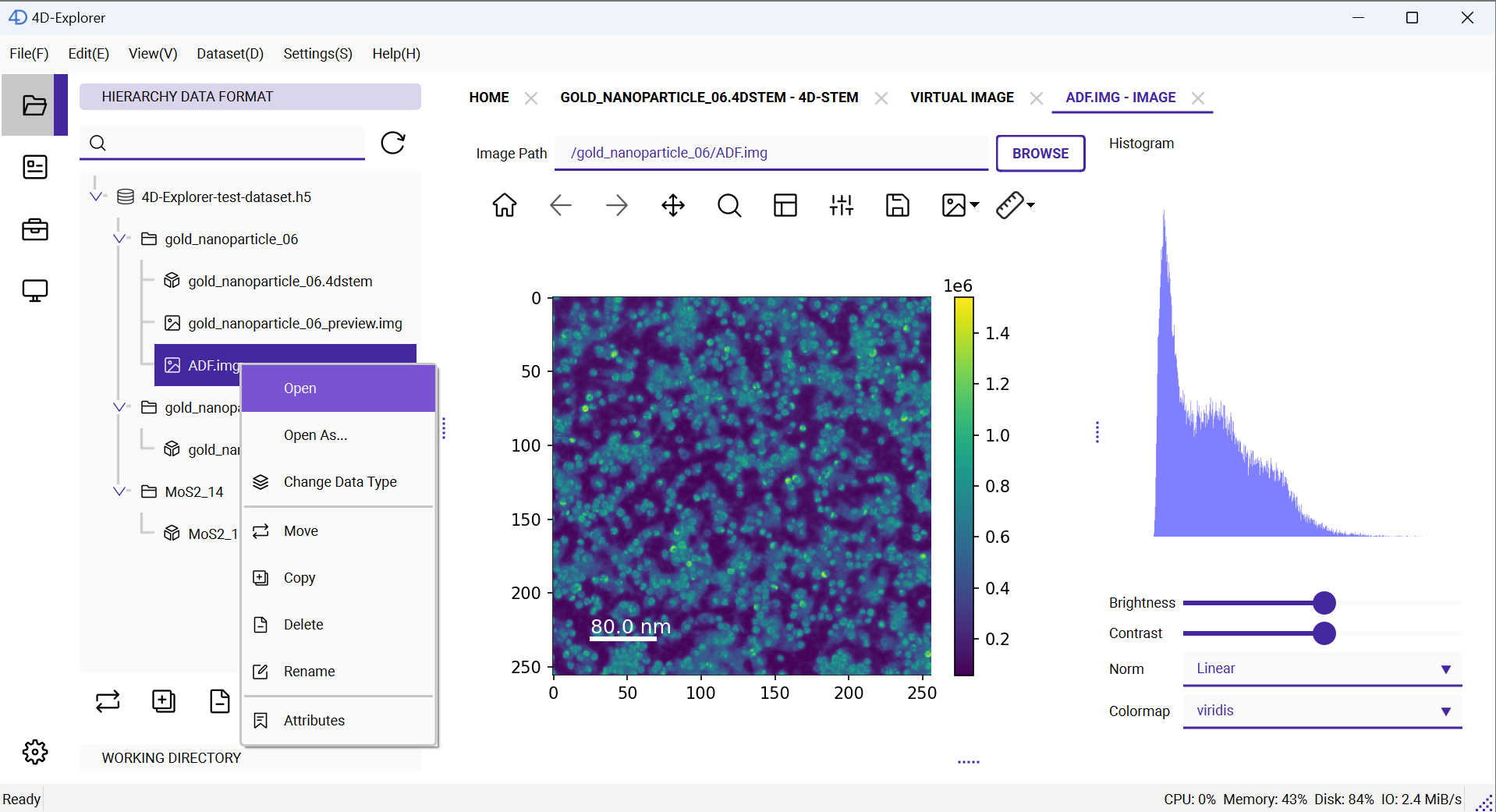
Reconstruction
Let’s quickly perform a reconstruction to see the results. On the left panel, find the gold_nanoparticle_06.4dstem dataset, right-click on it, then go to the Reconstruction menu and select Virtual Image. A new page will open on the right side for setting the parameters of the Virtual Image. For now, let’s try reconstructing an annular dark field (ADF) image.
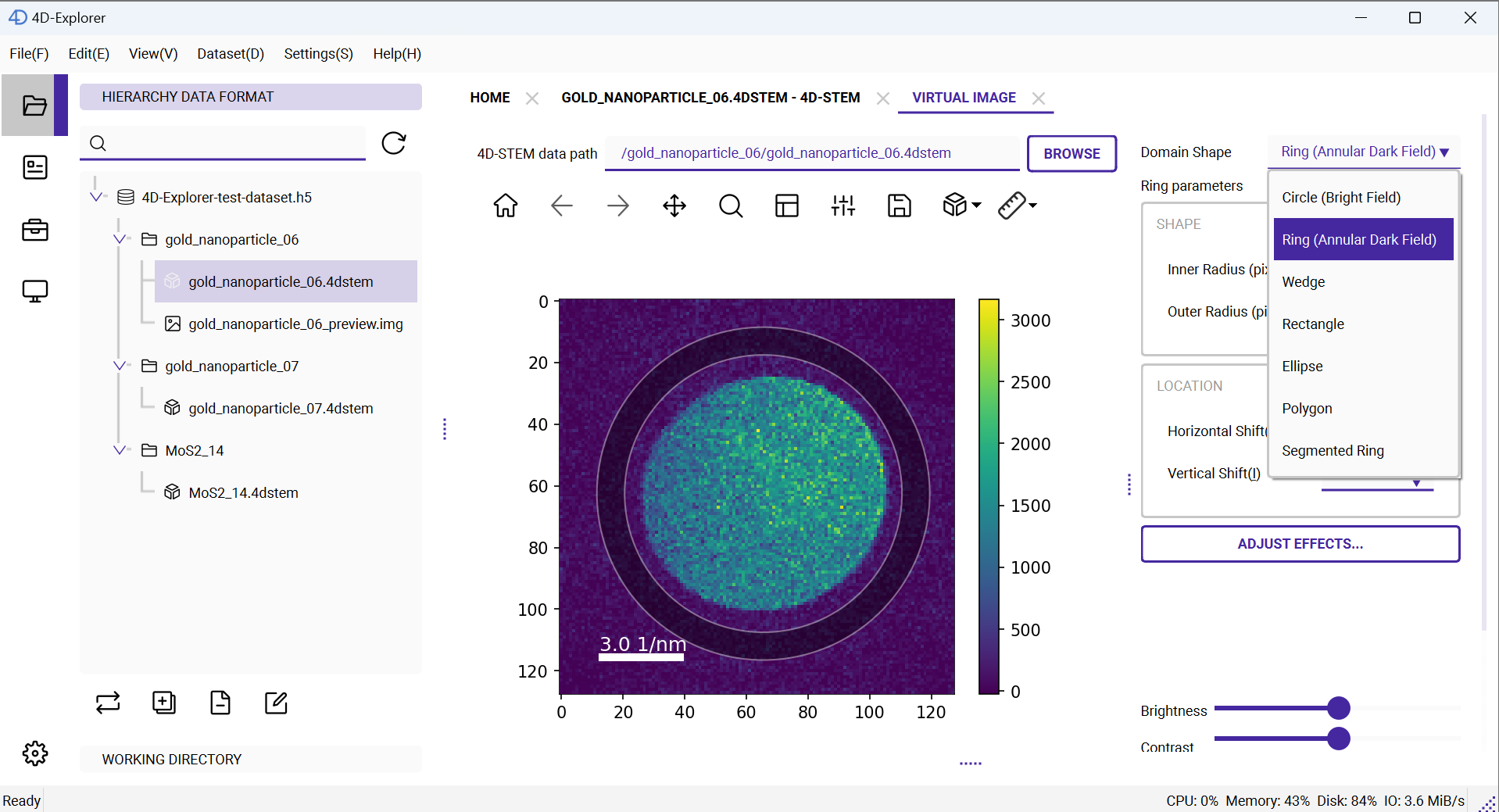
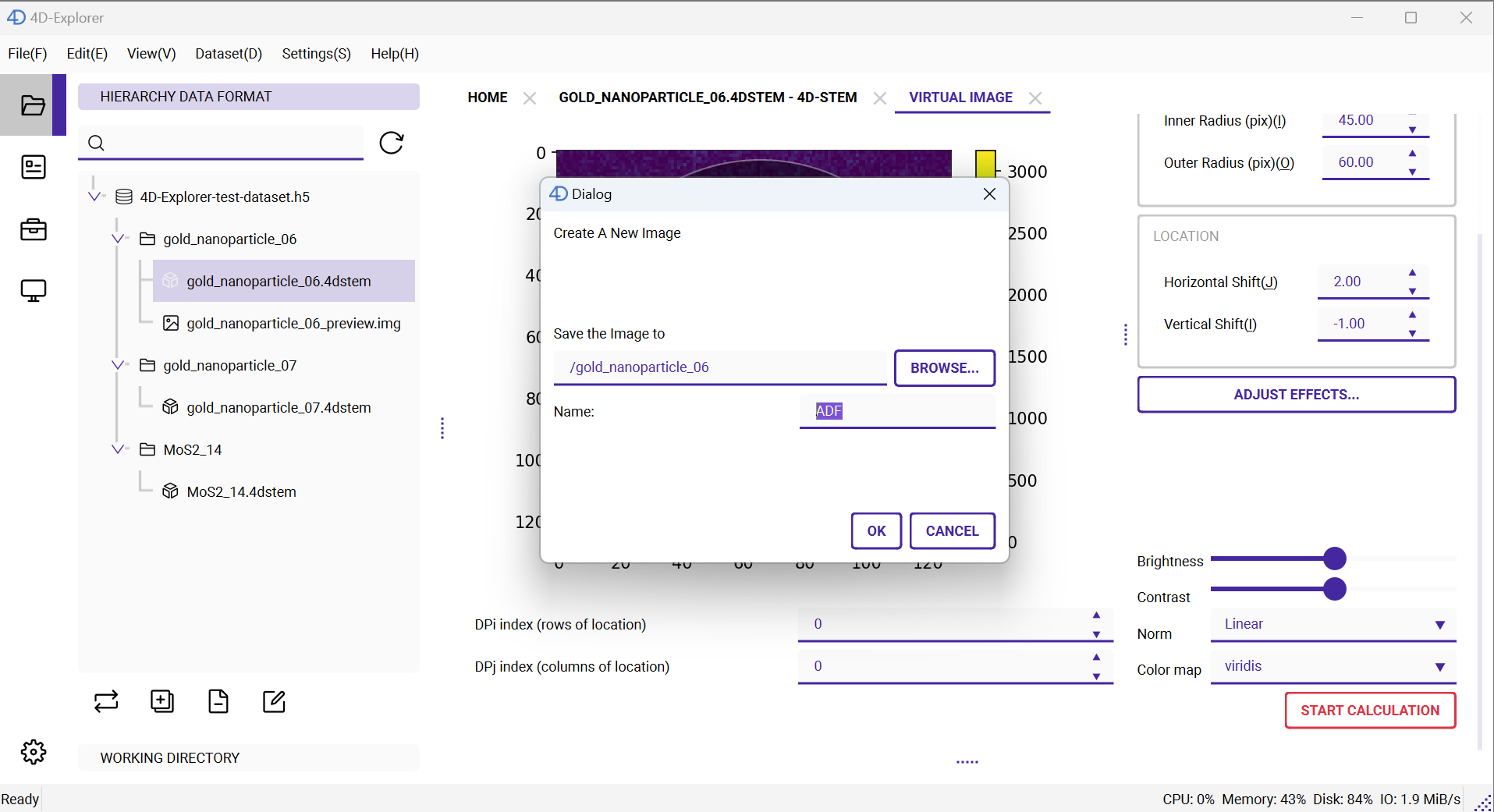
Here, we select Ring as the integration region, and set the inner radius to 45 pixels and the outer radius to 60 pixels. For the position of the integration region, set the horizontal offset to 2 and the vertical offset to -1. Once the parameters are set, click the red START CALCULATION button at the bottom.
Note
If you don’t see the red button, try scrolling down using the scroll bar on the right.
Once everything is ready, the calculation will start. Similar to when loading a dataset, long-running tasks can be monitored in the Task panel on the left. After the calculation is complete, right-click on ADF.img, select Open from the menu, and the image viewing page will open, just like when we viewed the 4D-STEM dataset earlier.