Importing 4D-STEM Datasets
Now suppose we already have a binary 4D-STEM dataset file (a raw file) that we want to import into an HDF5 file. Select a group (or click on the root directory), right-click, and choose Import 4D-STEM Dataset. This will open the dialog for loading a 4D-STEM dataset.

For the provided test dataset, choose EMPAD v0.51 (for NJU), then click the Browse button to select the EMPAD file we want to import (you should select the .xml file from the dataset folder).
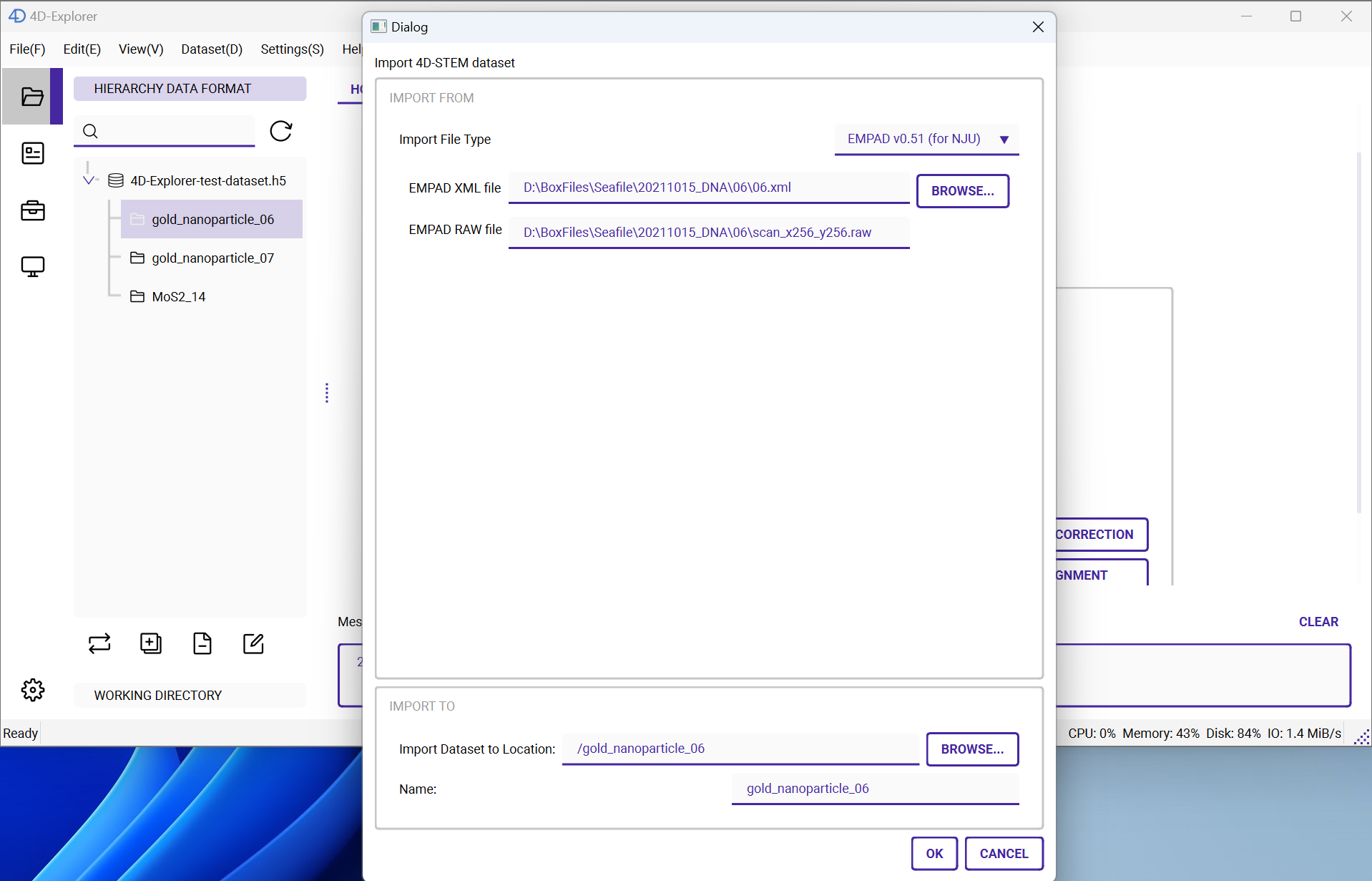
Next, give the imported dataset a name, such as gold_nanoparticle_06. Finally, click the OK button.
Follow the same steps to import the test datasets into the three groups, and assign the appropriate names to them.