Viewing 4D-STEM Datasets
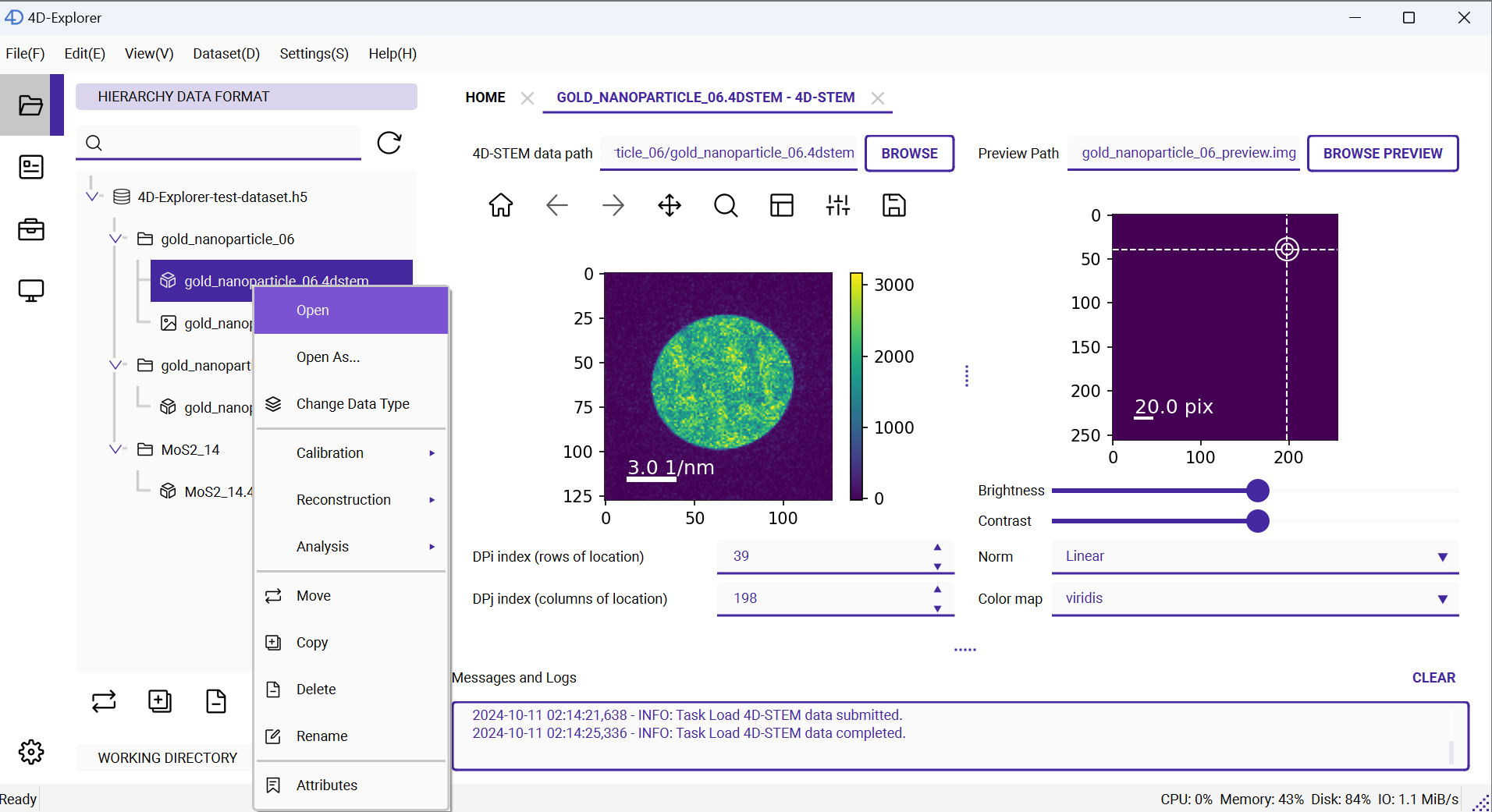
Right-click on the gold_nanoparticle_06.4dstem dataset to open its menu, and select the first option Open to view the dataset. A new page will open on the right side.
Tip
You can drag the boundaries between components to resize them, in case some areas are too small to display properly. You can also press the leftmost control panel button to hide the left panel.
The page contains two images: the one in the center shows the diffraction pattern, and the one on the right shows the real-space reconstruction image. Since we haven’t performed any reconstruction yet, there will be nothing on the right. However, you can still click on the right image, and the cursor will follow the mouse, showing different diffraction spots on the left.